
Relay Player
A modern desktop viewer for UDP, RTP and HLS multicast and unicast streams — with the channel management, network discovery, subtitle handling and live diagnostics that IPTV and AV engineers actually reach for, not just a bare video window.
Built for specifically playing, recording and analyzing IPTV streams.
Relay Player was written by an IPTV engineer who was tired of clunky legacy tools — every feature here comes from a real deployment, not a spec sheet.
UDP, RTP, HLS & more
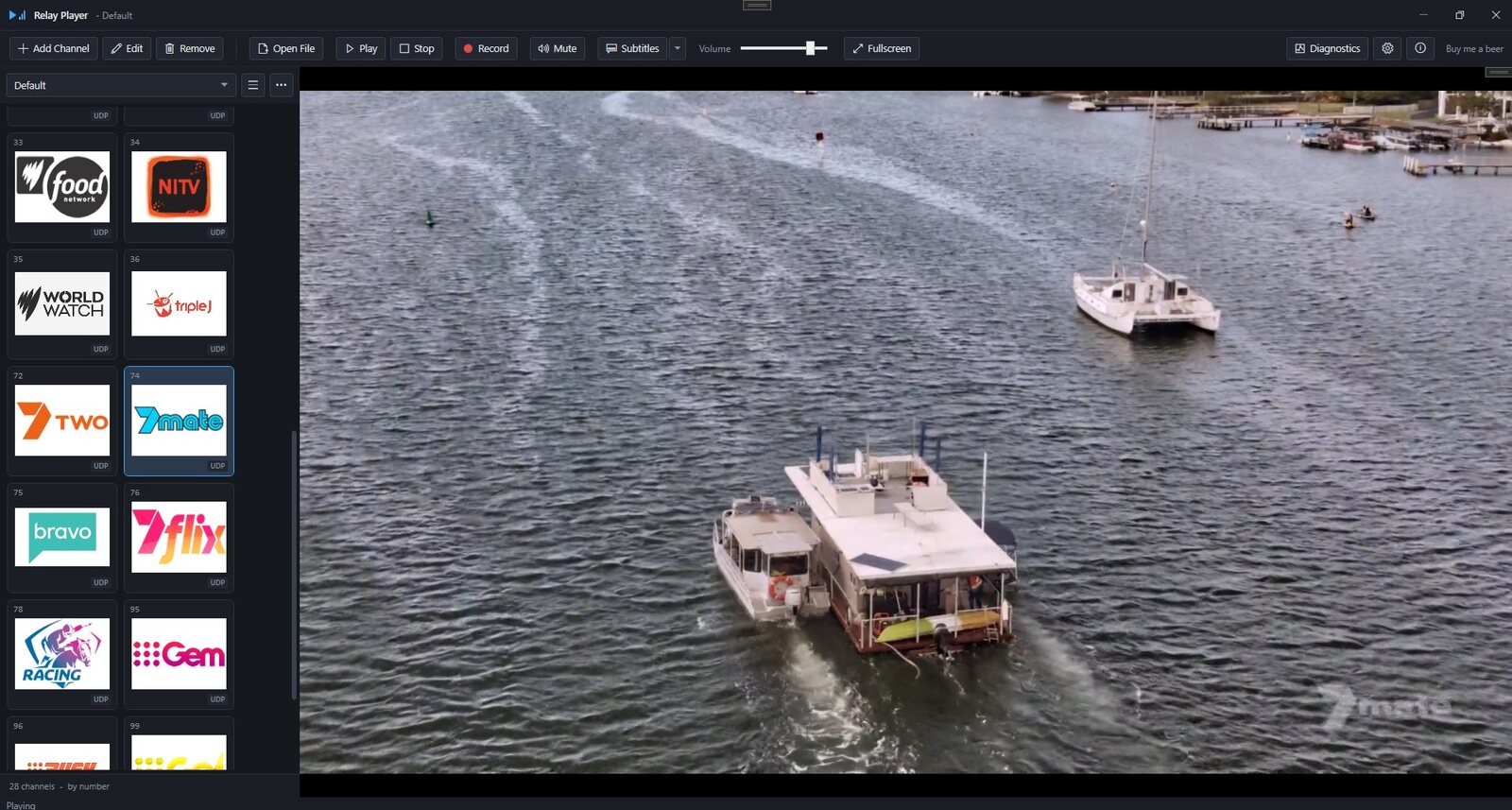
Multicast and unicast UDP, RTP, HLS and any other URL the media engine accepts — including RTSP — all sitting in the same channel list.
Live-preview channel editor
Number, name, type, address and logo, with a live URL preview. Paste a full udp:// address straight in — Relay Player parses it and reports what it changed.
Search, sort & reorder
Ctrl+F to filter by name, number, address or URL. Sort any column. Drag handles or Alt+Up/Down to reorder — export always keeps the authored order.
M3U / M3U8 import
Handles tvg-chno, group-title, #EXTGRP and bare URLs with no #EXTINF at all. Previews what it found before anything is added.
SAP discovery
Listens for sessions announced on the network and lists them automatically, with a status readout that separates "nothing announcing" from "arriving but not parsing".
Subtitles & captions
Teletext and DVB bitmap subtitles, both handled without a region setting. Diagnostics reports whether the decoder is even present.
Lossless recording
MPEG-TS by default, plus MP4, MOV and Program Stream. The stream is copied to disk exactly as it arrives — nothing is re-encoded.
Built-in diagnostics
Three live graphs, transport health counters, host stats and raw engine counters — with one-click copy or save for a support ticket.
Multicast interface selection
Pick the network adapter that actually carries your streams, instead of leaving it to Windows' routing table.
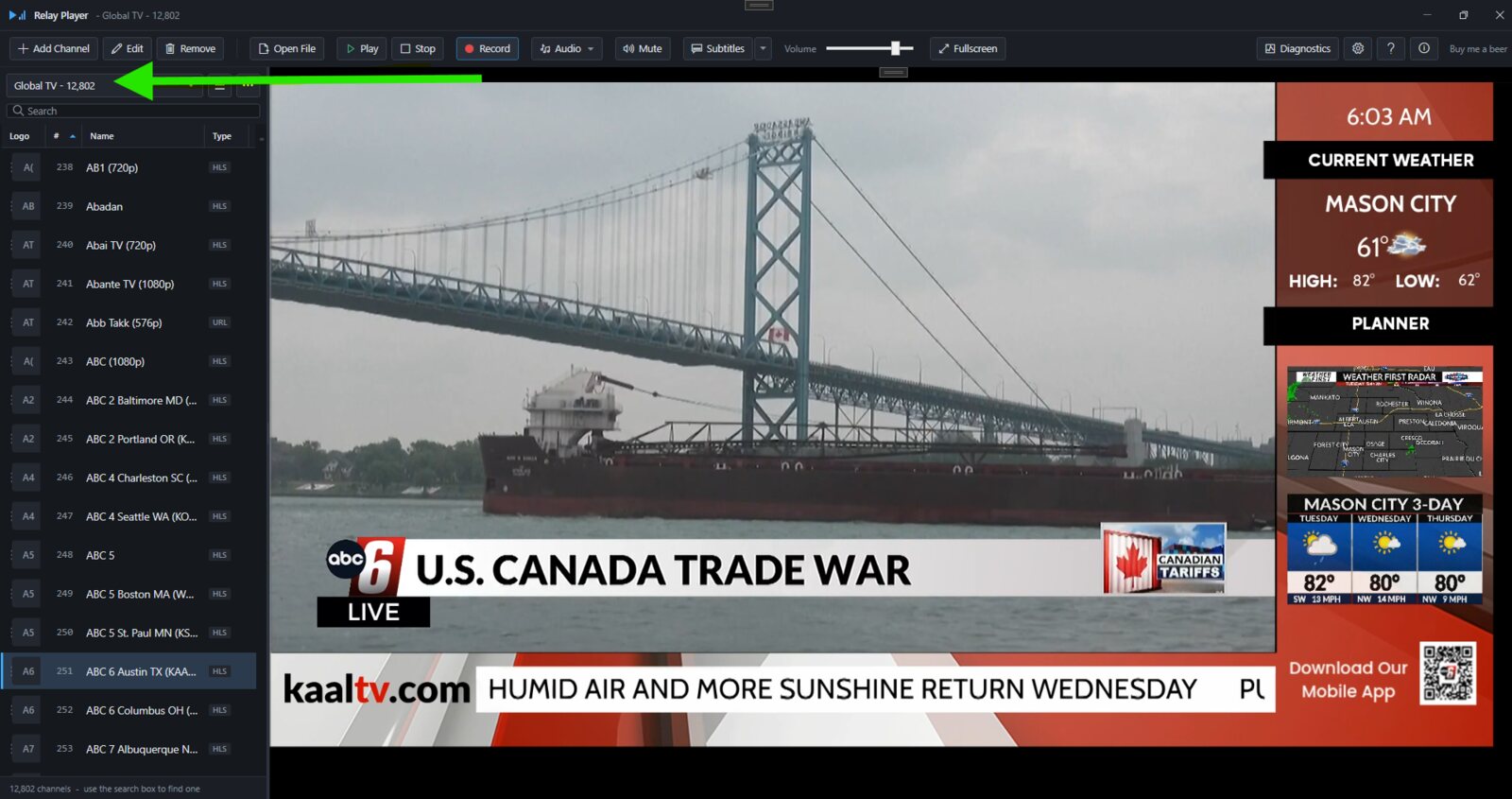
A channel catalogue you don't have to build yourself.
Global TV is an optional catalogue of public internet channels, compiled by a separate open-source project. It's shown in the channel selector by default but only downloaded when you ask for it — in the screenshot above that's 12,802 channels, though the exact count moves over time as the source catalogue is refreshed.
- Opt-in only. Nothing is fetched until you ask — Relay Player still makes no network request of its own by default.
- Cached, refreshable and removable. Update it when you want new channels, or remove it entirely.
- Read-only until you say otherwise. "Save as a list" copies it into an ordinary, editable channel list.
- Searchable. The same Ctrl+F search finds a channel by name, number or address across the whole catalogue.
Teletext and DVB, without a region setting.
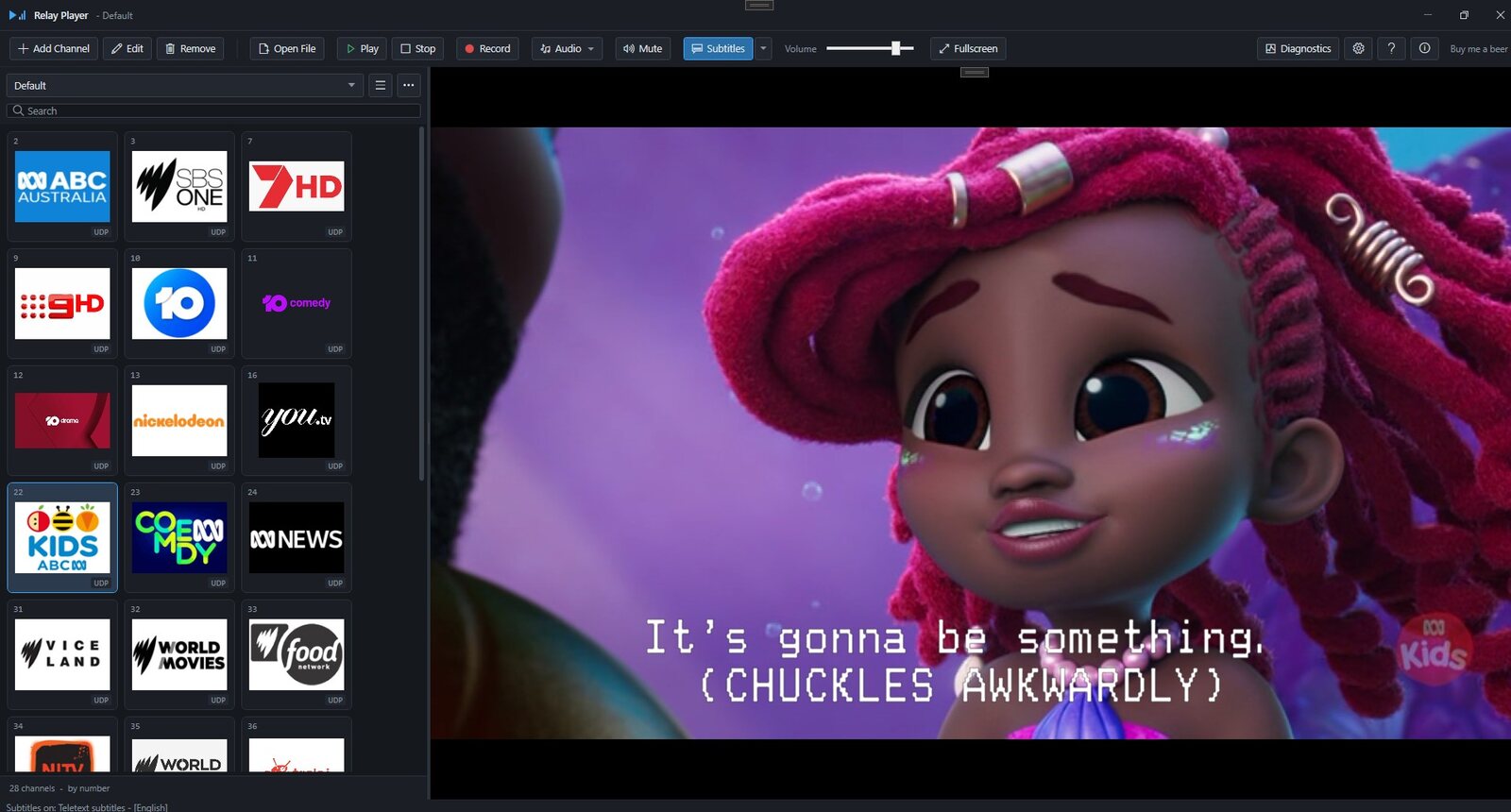
A toggle plus a track picker. Teletext — as used by Australian and UK broadcasters — and DVB bitmap subtitles, used most other places, are both handled the same way, no region setting required.
- Keeps checking. A teletext page only exists once it's transmitted, so discovery polls for thirty seconds and then keeps trying — the toggle explains why while it waits.
- Configurable. Automatic enabling, a preferred language, and a teletext page override for a stream that declares the wrong one.
- Diagnosable. The diagnostics window shows whether each decoder is even present — "no captions on this stream" versus "the decoder is missing".
There's more once you start digging.
The rest of what's in the free build — smaller details that add up on a long shift.
- No network access of its own. No update check, telemetry, licence check or analytics — the only outbound requests are the two you explicitly ask for: the Global TV catalogue, and playlist logos.
- Radio & audio-only mode. A stream with no video shows the channel's own artwork, codec, sample rate and channel count instead of a black rectangle.
- Deinterlacing. Auto, always-on or off, with nine filters to choose from — reachable from Settings or a right-click on the video.
- Picture settle delay. Holds the picture back briefly on tune so you never see the grey blocks of a decoder filling in frames it never received.
- Tile grid view. A logo-tile view of the channel list at three sizes, alongside the standard detail list.
- Local file playback. Open recordings or other video and audio files with a full transport bar — play, pause, seek, elapsed and total time.
- Recording destinations. Local or a network share, verified by actually writing to it — plus a disk-space estimate before you start.
- Startup options. Optionally tune a chosen channel and launch straight into fullscreen.
- Atomic, quarantined data. Channels and settings are kept in separate files, written atomically, and quarantined rather than lost if one fails to parse.
Fast to drive without the mouse.
Every shortcut works from the main window; fullscreen adds a couple of its own.
| Key | Action |
|---|---|
| Enter | Play the selected channel |
| Ctrl+F | Focus the search box |
| Escape | Clear the search, or leave fullscreen |
| F11 | Toggle fullscreen |
| Page Up / Page Down | Previous / next channel |
| Space | Re-show the channel banner in fullscreen |
| Alt+Up / Alt+Down | Move the selected channel |
The public installer is nearly ready.
Relay Player is stable and in daily use — we're just finishing packaging and code-signing before it's available here as a public download. Support the project on Ko-fi and you'll be first to know the moment it's live.